Shareforce Legal template management and creation
Detailed case study coming soon
How I designed the template management and creation flows for a legal SaaS product, which enhanced efficiency, compliance, and collaboration among legal and contract teams in banking and insurance.
Legal SaaS
B2B
Contract Lifecycle Management
Template Management
AI
Information Architecture
Information Architecture
Search & Filtering
User Engagement

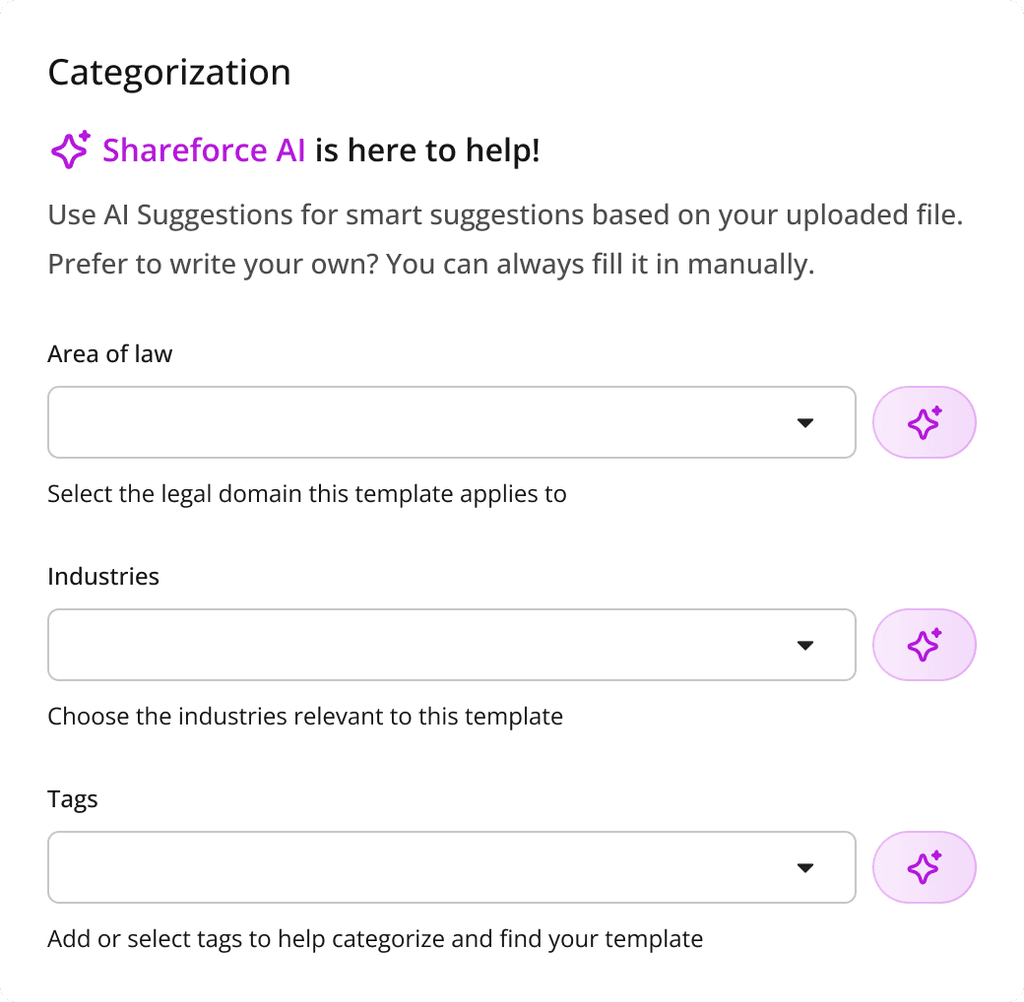
Final design of Template Management
Shareforce Legal is a legal SaaS platform that pairs AI-driven natural-language processing with a modular clause library to give banks, insurers, and other contract-heavy organizations a single source of truth for all legal content. By centralizing documents, automating template creation, and embedding review and approval workflows, the platform helps legal teams draft faster, stay compliant, and collaborate with confidence.
Timeline
January - February 2025
(8 weeks)
Problem
Legal and contract teams at banks and insurers rely on Shareforce to draft, store, and maintain hundreds of high-stakes document templates. Yet the current Template Management interface and multi-step creation modal present three critical obstacles:
Key challenges
Fragmented discovery and navigation – Flat grids, limited filters, and weak search relevance force users to hunt for the right template, inflating time-to-find and risk of rework.
Cognitive overload during creation – A cramped, scroll-heavy modal crowds dozens of form fields into a single view, obscuring context, validation cues, and next-step visibility.
Compliance and collaboration friction – Sparse metadata fields and unclear visibility controls make it hard to apply jurisdiction-specific rules, share with the right groups, or route templates for review.
Business impact
These frictions slow drafting cycles, jeopardize regulatory compliance, and erode confidence in Shareforce’s “single source of truth.” A redesigned, scalable experience is required to help legal professionals locate, create, and govern templates quickly, so they can focus on higher-value contract strategy instead of UI and flow workarounds.
Old designs
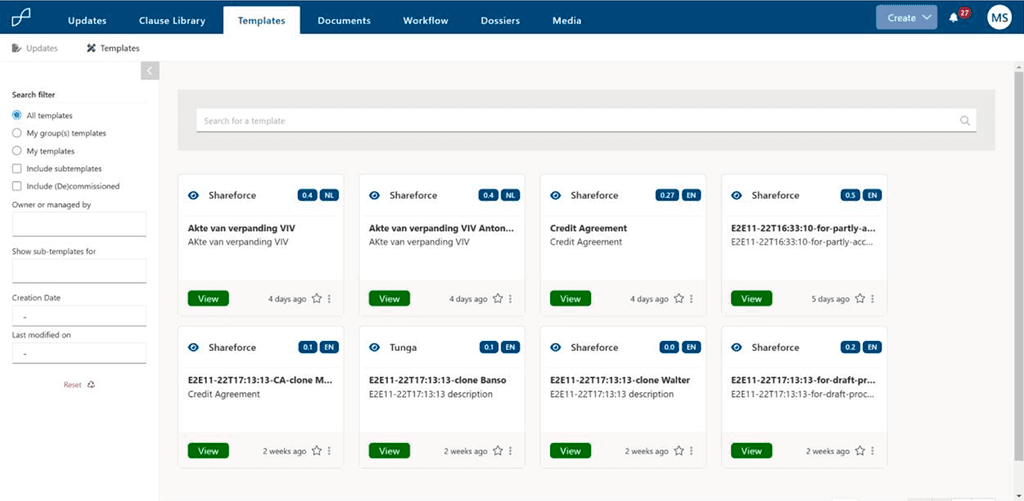
Document templates screen (old)
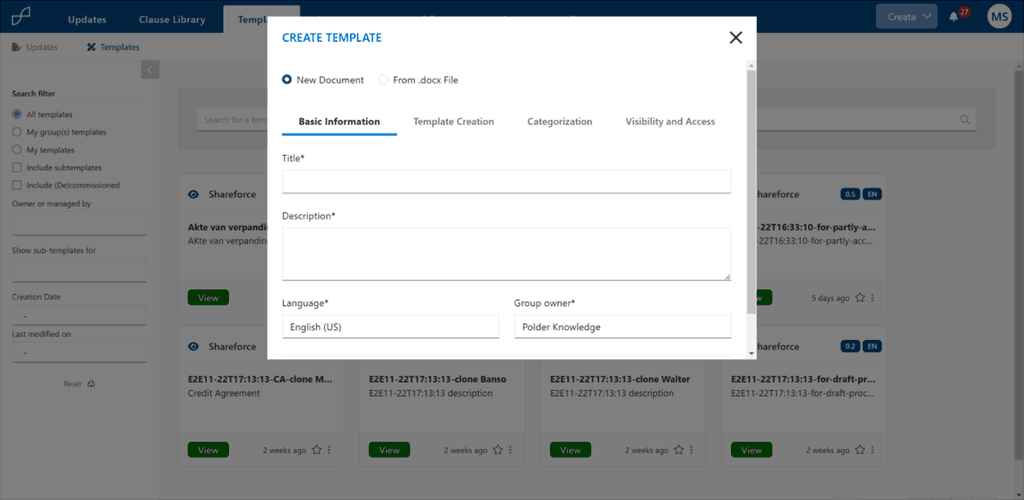
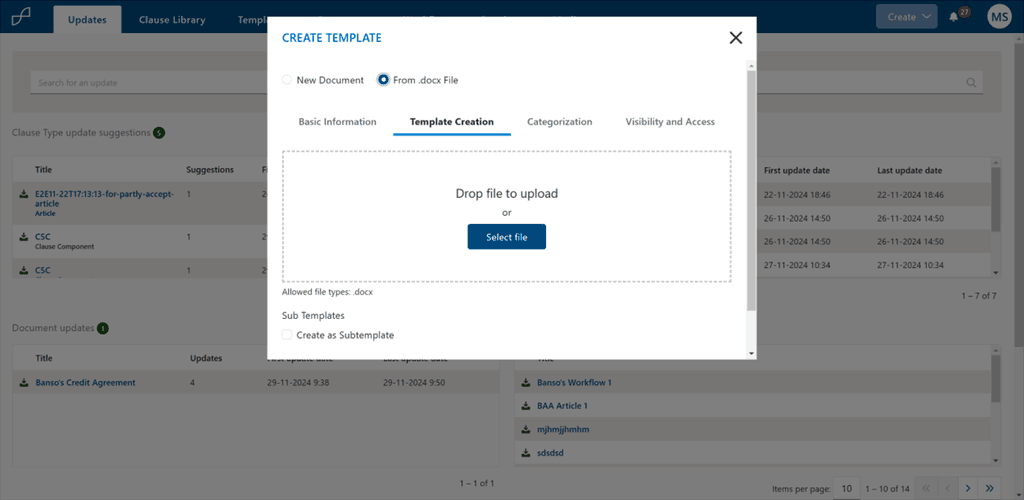
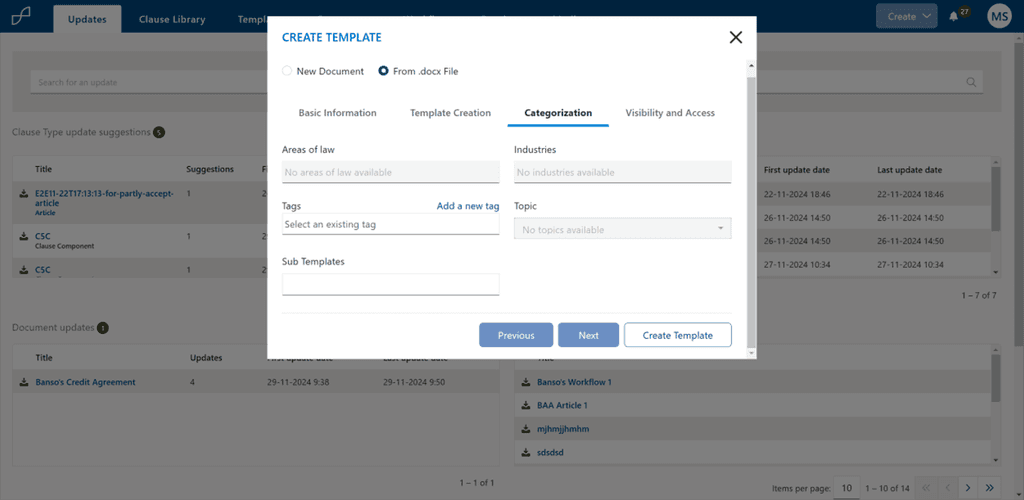
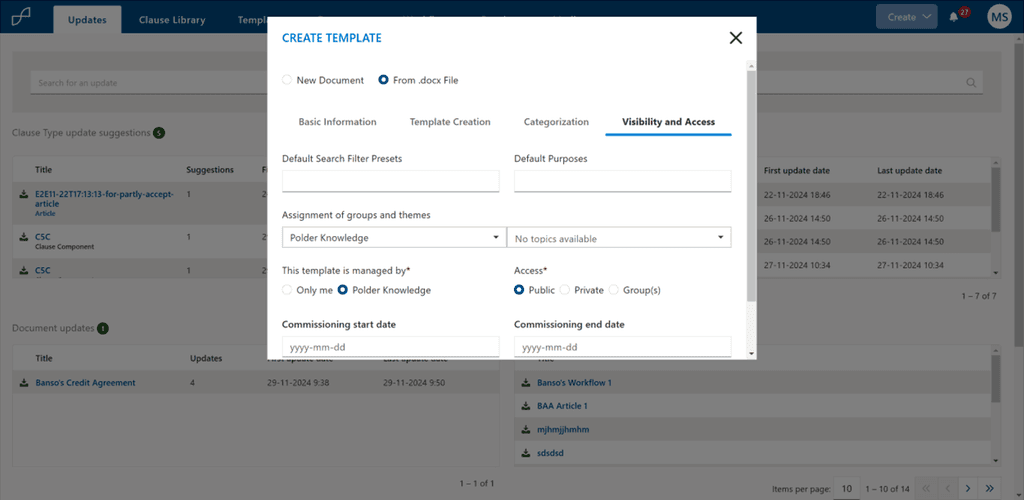
Template creation flow (old)
Validated user flow for template creation
The validated template-creation flow distills the process into a clear, four-step wizard inside the Template Management interface. After selecting Templates and hitting Create, users move sequentially from entering basic metadata, to adding or uploading content, to categorising the template with tags, and finally defining visibility and access. Each step includes built-in validation and contextual guidance, so users can complete the workflow without back-tracking. A success message confirms the template is live, returning them to the management view ready for their next task.

End-to-end, step-by-step flow users follow to create a new template (or sub-template)
New designs
Template management overview
Instant context with sticky filters – Show active filters as a chip beneath the search bar, paired with a one-tap “Clear filters” link and dynamic result count, so users always know why they’re seeing a given slice of templates.
Richer, domain and user specific filter rail – A persistent left sidebar now adds Language, Country, Governing-Law, Clause-Included, and Draft/De-commissioned toggles, letting legal teams pinpoint the right asset in a few clicks without drowning in a modal.
Flexible browsing modes – A grid↔list toggle and compact, two-zone card/row design (thumbnail + metadata) support both visual skimming and spreadsheet-style comparison, accommodating different work styles and screen sizes.
Tools for power-users – Keyboard shortcuts (⌘+K for quick search) and hover menus for Duplicate, Share, or Version History streamline admin tasks, boosting efficiency.
Clean visual hierarchy & feedback – High-contrast tags have been softened, empty skeleton loaders appear while data fetches, and a scoped “Show templates” dropdown (All, My groups, Starred) prevents cognitive overload on large libraries.
Legal professionals can now locate, preview, and manage templates in seconds, while richer metadata and streamlined controls cut drafting time and bolster compliance governance
Template creation flow
The redesigned wizard transforms template creation from a cramped modal into a spacious, full-page flow anchored by a left-hand progress rail. Each step tackles a single cognitive goal, which:
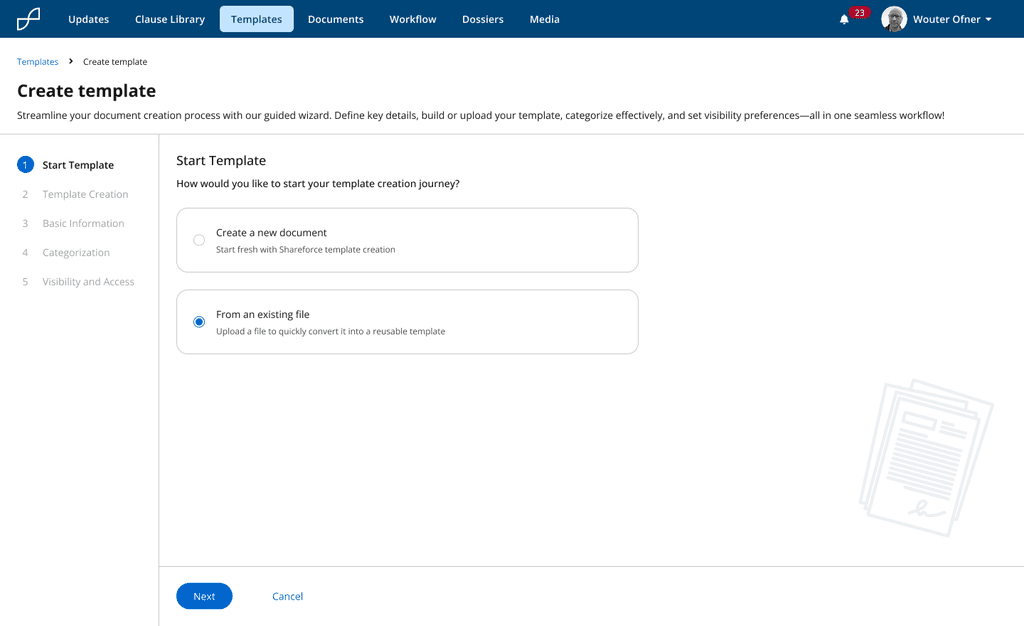
Start Template – Choose whether to begin from a blank document or convert an existing file into a reusable template
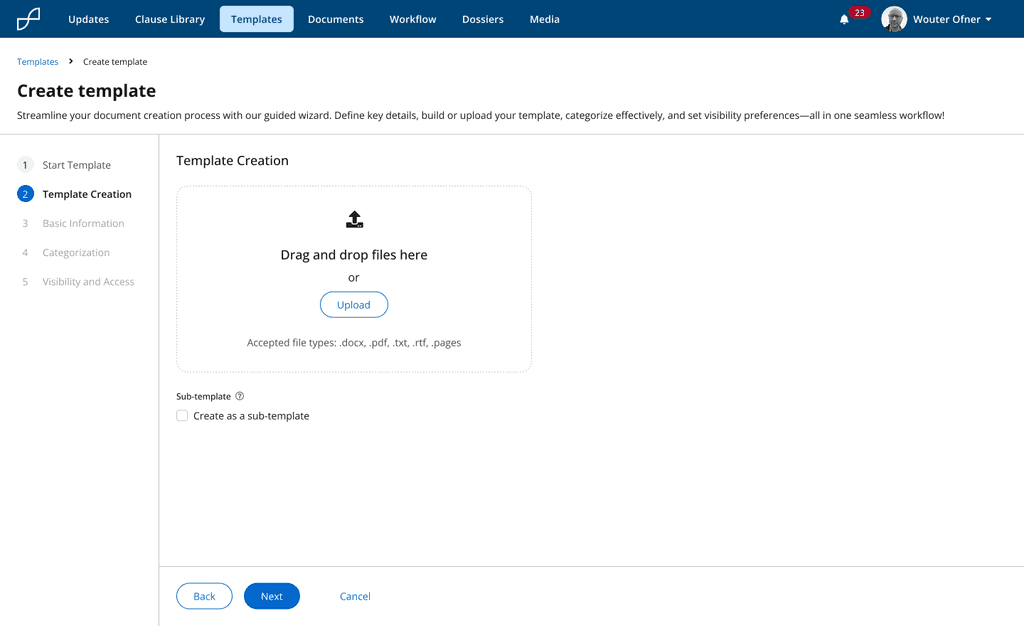
Template Creation – Drag-and-drop or upload .docx, PDF, or text files; optionally flag the upload as a sub-template
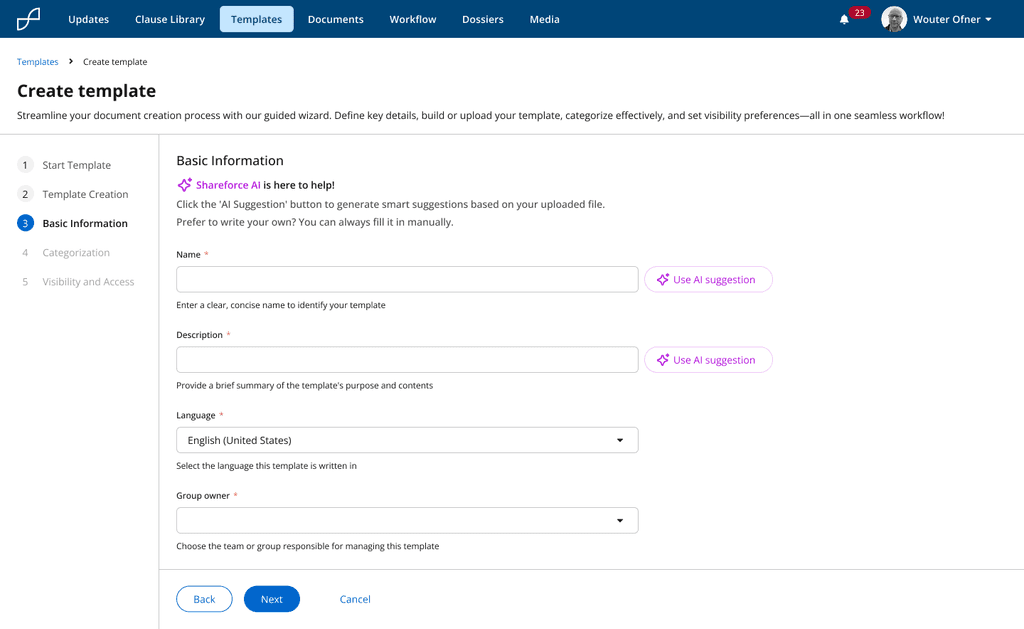
Basic Information – Supply name, description, language, and group owner—accelerated by one-click AI suggestions
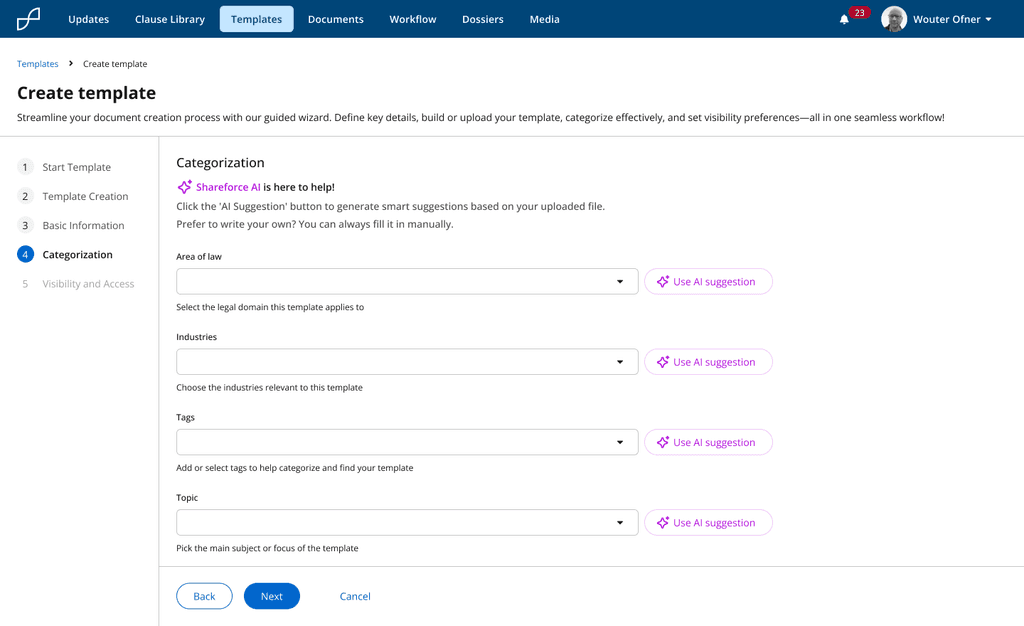
Categorization – Define area of law, industry, tags, and topic, with AI assistance to ensure consistent metadata
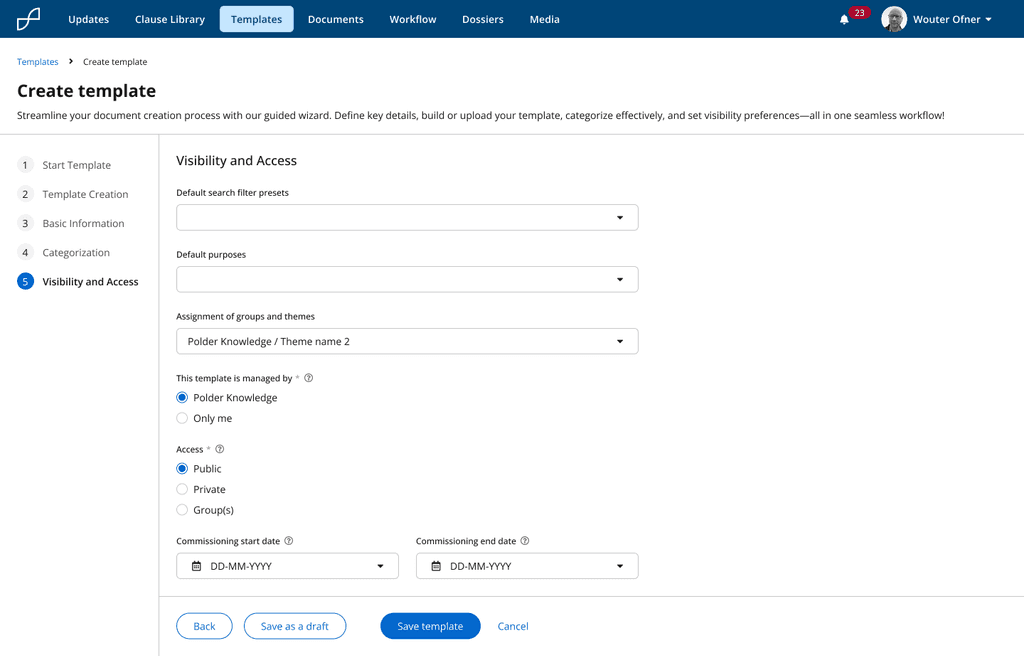
Visibility & Access – Assign default filters, ownership, permission scope, and commissioning dates before saving
Confirm & reassure users - A clear headline, icon, and plain-language copy instantly confirm the search ran but returned no matches, eliminating “Is it broken?” doubt and reducing frustration.
Offer fast recovery paths - The “Return to templates” link, nudge to refine filters, and visible keyboard shortcut hint (⌘+K) give users three easy ways to restart or narrow their search without losing momentum.
Turn dead ends into discovery - A carousel of curated “Suggested templates” based on user role and permission surfaces near-matches, driving template reuse and ensuring users still progress, rather than abandoning the task.
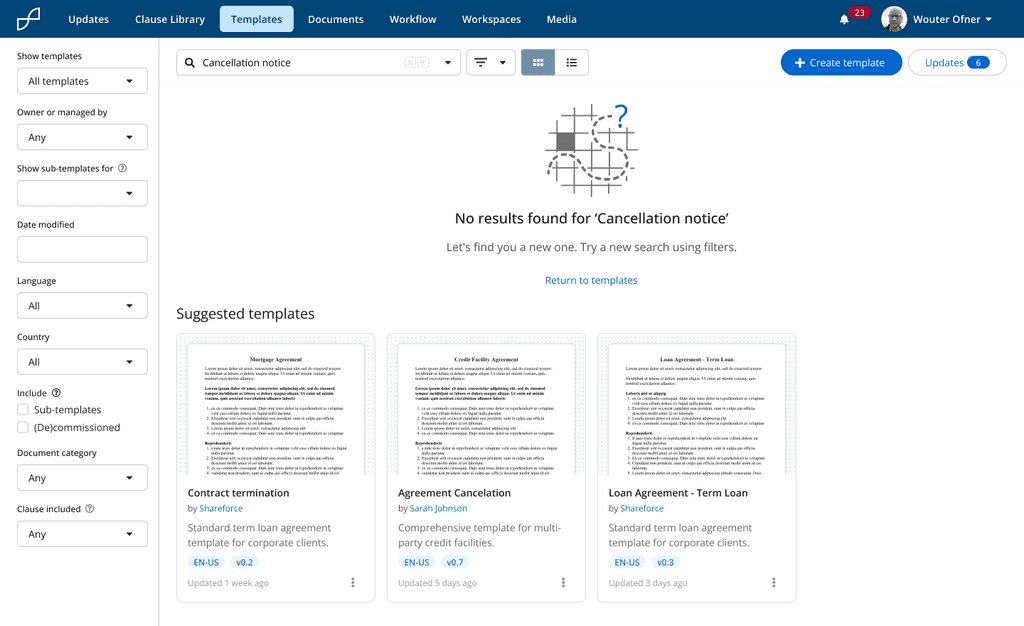
No results empty state with a clear “return” link, and curated template suggestions to keep users moving instead of hitting a dead end